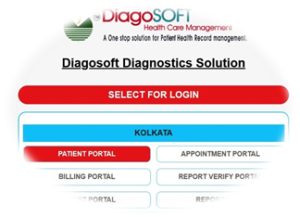
The Diagosoft Healthcare System provides a secure web-based portal that enables users to access and manage patient records conveniently. Through this platform, patients and healthcare professionals can view laboratory status, monitor report progress, and download diagnostic results online from any location.
As Diagosoft is implemented across more than 400 healthcare institutions and diagnostic centres, each facility operates through its own dedicated portal. Therefore, the exact web address required for access will vary depending on the laboratory or centre where the service was availed.
Steps to Access Your Report Status:
- Identify the Laboratory Portal URL
Each diagnostic centre has a unique web portal address, typically incorporating the facility’s name (for example: report[labname].diagosoft.com). - Refer to Provided Details
The correct portal link is usually mentioned on the printed bill, receipt, or shared directly by the laboratory staff at the time of registration. - Log in to Access Information
Use the provided credentials to securely log in and view test status, download reports, or track progress.